
Vizard pricing and free plan limits — and the different job ReelsCut solves
Vizard's free plan is real: 60 credits a month (1 credit = 1 minute of source), export capped at 720p and 10 minutes, 3-day storage, a 1GB or 60-minute upload cap and one social media account (Vizard Pricing, Sep 2026). If your actual file is one vertical take with retakes, a clipping tool is not the category you need — ReelsCut turns that take into one finished short for $5 once you approve the preview.
What Vizard's free plan actually gives you
Vizard is built for repurposing long-form content into short clips — podcasts, courses, interviews and other long-form video. Its pricing model is credit-based, where one credit equals one minute of source video you upload. The free plan is not a trial that expires; it is a recurring monthly allowance you can use as long as you stay on the free tier. The numbers below were read from the live pricing page with a JavaScript-rendering tool on 2026-09-29, because Vizard's pricing page hides its real numbers behind client-side rendering — a plain HTML fetch returns placeholders instead of actual prices (Vizard Pricing, Sep 2026).
If 60 minutes of source material a month is enough for what you need to clip, the free plan is a genuine free tier, not a teaser. The main trade-off is the export limit: you can only export clips up to 10 minutes long at 720p resolution, and the result stays on Vizard's servers for three days before it is deleted. That storage window matters if you need to download and organize clips over several days rather than in one batch.
| Plan feature | Vizard Free |
|---|---|
| Monthly credits | 60 credits = 60 minutes of source footage |
| Export resolution | 720p maximum |
| Export length cap | 10 minutes per clip |
| Storage duration | 3 days — results expire |
| Upload limit | 1 GB or 60 minutes per file |
| Social accounts | 1 connected account |
| Watermark | Present on free-plan exports |
When Vizard is the right tool
Vizard's pricing page targets a specific job: you have a library of long-form content, and you want to pull short clips out of each source for social distribution. It describes podcasts, courses, interviews and other long-form video as the starting material, while the plan comparison lists connected social accounts for distribution (Vizard Pricing, Sep 2026).
The paid tiers add features that make sense for that job at scale. The Creator plan at $29 a month (or $174 billed yearly, which works out to $14.50 a month at the intro 50 percent discount) removes the watermark, unlocks 4K export with no length cap, gives you 100 GB of storage and connects six social accounts (Vizard Pricing, Sep 2026). The Business plan at $39 a month ($234 yearly, $19.50 a month effective at the same intro discount) adds a shared workspace for a team, 20 social accounts and unlimited storage, with extra seats at $5 a month each (Vizard Pricing, Sep 2026). Both paid plans enter at 7,200 credits per year, while twelve months of the free allowance would total 720 credits, so the annual entry tier is ten times that annualized free amount (Vizard Pricing, Sep 2026).
If your starting material is hours of podcast footage or a course library you need to turn into a steady stream of clips, and you have a team or at least a content calendar to feed, Vizard is the category of tool built for exactly that workflow. Its free plan covers a meaningful amount of that work, and its paid tiers scale it. For a comparison with another tool in the same long-video clipping category, see the Opus Clip alternatives page.
When you start with a single vertical take instead
The category Vizard operates in — scan a long recording for clippable moments — assumes your source is a single continuous file that contains many potential clips inside it. That is a very specific starting point, and it is not universal.
A different starting point is the one-take vertical recording: you film yourself talking to the camera, you reset a sentence when it comes out wrong, you pause to collect your thoughts and start again. The file on your phone is not one long continuous performance with publishable moments scattered through it; it is one intended take surrounded by retakes, false starts and dead air. Nothing in it needs to be clipped — there is no second topic to pull out — but everything in it needs to be resolved: which take to keep, which pause to tighten, where the title belongs on a vertical 9:16 frame.
Vizard's documentation does not list support for retakes or a single messy source with false starts. Its stated inputs are podcasts, courses, interviews and long-form video for clipping, not a single vertical talking-head recording (Vizard Pricing, Sep 2026). That is not a criticism of Vizard — it means the two tools solve different jobs, and the starting material decides which category is the right one.
Vizard vs. ReelsCut: what's actually free
Both tools offer a free tier, but they cover different jobs. The table below compares what each free plan actually includes, side by side, as checked on 2026-09-29.
| Criterion | Vizard | ReelsCut |
|---|---|---|
| Free plan credits | 60 credits/month = 60 minutes of source | One free trial order per account — the full finished video, watermarked |
| Free plan watermark | Exports carry a watermark on the free tier | Every preview is watermarked until you pay, including the free trial |
| Free plan storage | 3 days — results expire automatically | Full watermarked preview to review before payment |
| Starting material | Long horizontal videos: podcasts, courses, interviews | One vertical talking-head recording with retakes and pauses |
| Output | Several short clips selected from the long source | One finished short built from the material you sent |
| Entry price after free | Creator $29/month (or $174/year) | $5 for one video; monthly plans start at $19/month for 15 videos |
Pricing: monthly credits vs. per-video
The two pricing models reflect the two different jobs. Vizard charges by the minute of source footage you upload: each tier has a yearly credit bank, and you draw from it as you upload content. The Creator plan at $29 a month gives you an entry tier of 7,200 credits per year when billed annually at $174, which works out to roughly 600 minutes of source a month (Vizard Pricing, Sep 2026). If your library of content is large and you process it regularly, that credit pool can support a steady output of clips.
ReelsCut has two ways to pay: one finished video is $5 with no subscription, while recurring monthly plans are $19 for 15 videos, $29 for 30 or $69 for 100. Those monthly plans reset their video allowance each month, and unused videos do not roll over. The source length does not affect the price because ReelsCut is built for short vertical takes, not for hours of footage; for a one-off recording, use the $5 option rather than a monthly plan.
The difference is not just one of absolute price. It is a difference in what is being metered: Vizard meters input (how many minutes you upload), while ReelsCut meters the finished videos you order. The $5 route is one-off for one finished short; the monthly plans are for a recurring volume of 15, 30 or 100 videos and renew with a fresh allowance each month.
How to read Vizard's credits and limits
The credit number answers a question about the material you upload, not a promise about how many finished clips will come back. One credit is one minute of source video, so a 40-minute interview uses 40 credits whether you publish one highlight or several. That makes the free allowance easy to estimate before you upload: add the lengths of the long recordings you expect to process, then compare that total with 60 minutes for the month (Vizard Pricing, Sep 2026).
The export ceiling is a separate decision. A free account can spend credits on a long source, but each free export is capped at 720p and 10 minutes. The input allowance and the output ceiling therefore answer different questions: how much source can enter the workflow, and how long an individual clip can be when it leaves it. Treating 60 credits as 60 ten-minute exports would turn an input measure into an output promise that the pricing page does not make (Vizard Pricing, Sep 2026).
Storage is another boundary to put on the checklist. Free results remain available for three days, so a workflow that needs a longer archive has to download and organize the files inside that window or consider the paid tiers. The upload limit also has two parts: 1 GB and 60 minutes per file. A file can be short enough in minutes but too large in bytes, or small enough in bytes but longer than the duration limit; both values are part of the free-plan check (Vizard Pricing, Sep 2026).
The paid figures describe a different operating pattern. Creator is listed at $29 per month, or $174 billed yearly at the introductory annual rate, with an entry allowance of 7,200 credits per year. Business is listed at $39 per month, or $234 billed yearly at the corresponding introductory rate, with the same entry credit tier. Those figures matter to a team processing a recurring library, but they do not change the kind of source Vizard expects: the page still presents the product around podcasts, courses, interviews and other long-form video (Vizard Pricing, Sep 2026).
The account features follow the same distinction. Creator lists six connected social accounts and 100 GB of storage; Business adds shared workspace, 20 social accounts and extra seats at $5 per month each, with unlimited storage. Those are useful planning fields when several people publish from a shared content library. They are not a substitute for checking the source file: a team feature does not turn a single vertical take with false starts into the long-form clipping job described by the page (Vizard Pricing, Sep 2026).
Before choosing a plan, write down the source length, the number of clips you expect from each source, the date by which you need to retrieve the exports and whether one person or a team will manage distribution. The free plan answers the first part with 60 credits and the retrieval window with three days; the paid tiers add the storage, export and account fields listed above. This checklist keeps a displayed price from deciding the purchase before the footage and deliverable are clear.
A simple preflight keeps the comparison concrete: identify whether the source is a long recording, total its minutes, check its file size, decide how many separate clips you need and note who must access the results. Then compare those answers with the published credit, upload, export, storage and account fields. If the answers do not match, the issue is category fit or plan capacity, not a missing adjective in a feature list. Recheck the dated pricing page before paying because these limits are time-sensitive (Vizard Pricing, Sep 2026).
The honest fork: two different starting materials
The fork between Vizard and ReelsCut is about the footage on your drive, not an abstract ranking.
You have a long horizontal podcast, course or interview series. Vizard and similar clipping tools scan one long recording for short moments to pull out and distribute through connected social accounts. The free plan gives you a genuine 60 minutes of source a month to try, and the paid tiers expand the credit pool and add team features. This is the right category for your material.
You have one vertical talking-head take with retakes and pauses. There is nothing to clip — the recording is already one intended short, just with the wrong takes still in it. ReelsCut takes that raw file and returns a single finished 9:16 short: best takes selected, speech tightened, captions added and the title kept inside the platform safe zone. The free trial is one full watermarked video, watchable end to end, before you pay anything.
You have both. The two steps — clip highlights from the long recording, then clean up the individual clips — are handled by two different tools, not one tool doing both. Vizard handles the first step for the library of long sources; ReelsCut handles the second for the individual clips that still need takes chosen and speech tightened.
The important distinction is that if you search for a Vizard alternative and your actual file is one vertical take, you are in the second fork, not the first. The category you need is not “clipping tool” but “finished-short service.”
The workflow: upload the recording, check the preview
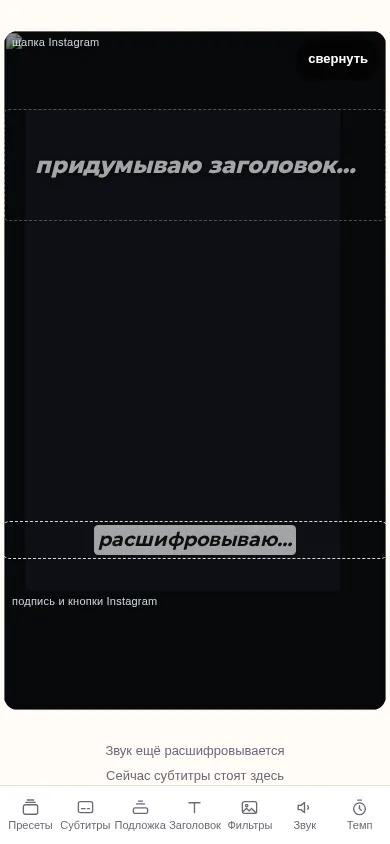
There is no long file to trim down first. You upload the vertical recording as shot — takes, restarts and pauses included — and the first render comes back as a full watermarked preview, watchable end to end, before you pay anything. The preview is not clipped: it is the entire edit Vizard would not have the material to start from, because the source is one short take rather than a long recording.
After the preview you can ask for changes in plain English. You get up to 2 revision rounds before payment and up to 10 more after the clean file is unlocked. Naming the take to keep or the pause to tighten is enough — there is no timeline to edit yourself.
What comes back is a finished file, not a set of edit points to review. The retakes are already resolved to the best one, dead air and false starts are tightened out of the speech, and captions sit inside the safe margins each platform actually enforces, so the title does not get cropped by the app's own UI. None of that requires opening an editor afterward.
Frequently asked questions
Is Vizard actually free?
Yes — Vizard's free plan gives you 60 credits per month (60 minutes of source footage) with export at 720p, clips up to 10 minutes long, 3-day storage, a 1 GB or 60-minute upload cap and one social account (Vizard Pricing, Sep 2026). It is a genuine recurring free tier, not a trial that expires.
What exactly do 60 free credits get me?
Each credit covers one minute of source video you upload. With 60 credits a month you can upload up to 60 minutes of long-form content and get short clips extracted from it. Export is capped at 720p and 10 minutes per clip. Results are stored for 3 days before they expire (Vizard Pricing, Sep 2026).
Does Vizard work with a single recording that has retakes and false starts?
Vizard's stated inputs are podcasts, courses, interviews and long-form video for clipping (Vizard Pricing, Sep 2026). It does not declare support for retakes or a single messy source with false starts. If your starting material is one vertical take with retakes, a clipping tool is not the category you need.
How much does removing the watermark cost on Vizard?
The watermark is removed on the Creator plan and above. Creator costs $29 a month, or $174 billed yearly ($14.50 a month effective at the intro 50 percent discount). The Business plan is $39 a month or $234 yearly at the same introductory discount (Vizard Pricing, Sep 2026).
Does Vizard charge by the clip or by the source video?
Vizard's credits are based on source-video duration: one credit covers one minute of uploaded video. The Free plan includes 60 credits each month, while the Creator and Business entry tiers list 7,200 credits per year (Vizard Pricing, Sep 2026).
How many videos does $5 buy?
$5 buys one finished video: the clean, watermark-free file after you approve the preview. Monthly plans are $19 for 15 videos, $29 for 30 or $69 for 100; each plan's allowance resets monthly and unused videos do not roll over.
Can I re-cut if the first result is off?
Yes. Ask for the change in plain English — which take to keep, which pause to tighten — and you get a fresh render. You have up to 2 revision rounds before payment and up to 10 more after the clean file is unlocked.
Do I need a subscription to use ReelsCut?
No subscription is required for the $5 one-off video. ReelsCut also has optional monthly plans: $19 for 15 videos, $29 for 30 or $69 for 100, with the allowance resetting each month and unused videos not rolling over.
Compare: CapCut vs Descript
Vizard is a trademark of its owner. ReelsCut is not affiliated with Vizard.